
Free Party Invitation Maker: Create Digital Invites with AI – Step-by-Step Guide
Planning a party should be fun, but let's be honest—the to-do list can feel overwhelming. Between coordinating guests, planning the menu, and picking the perfect playlist, designing the invitations can feel like a major chore. What if you could create stunning, personalized party invitations in minutes, for free, and without any design skills?
It’s not just possible; it’s incredibly easy with the power of Artificial Intelligence. This guide will walk you through the simple steps to design unique digital invitations that will excite your guests and set the tone for an amazing event. Using an AI-powered tool like Invitation Maker, you can say goodbye to generic templates and hello to effortless creativity.
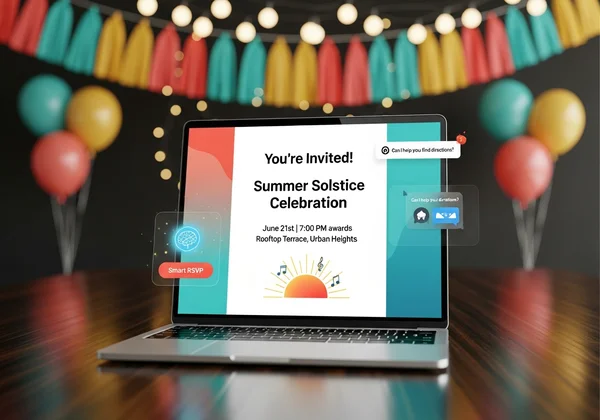
Why Choose a Free Digital Party Invitation Maker?
Before we dive into the "how," let's talk about the "why." Moving from traditional paper invites or simple text messages to a dedicated digital invitation maker offers some incredible advantages, especially for busy hosts who value both style and simplicity.
Speed, Simplicity, and Eco-Friendliness for Your Event
Time is your most valuable resource when planning a party. A digital invitation maker streamlines the entire creation process. Ditch hours on tricky software or boring templates. Generate stunning designs in seconds instead. The process is intuitive, designed for everyone, not just graphic designers.
Furthermore, choosing digital invitations is a thoughtful, eco-friendly choice. Save paper and cut waste. Skip postage and deliveries entirely. It’s a small change that makes a positive impact, allowing you to host a more sustainable celebration with ease. Sending an e-invite is as simple as sharing a link or image via message or email.
Unleashing Creativity Without the Cost
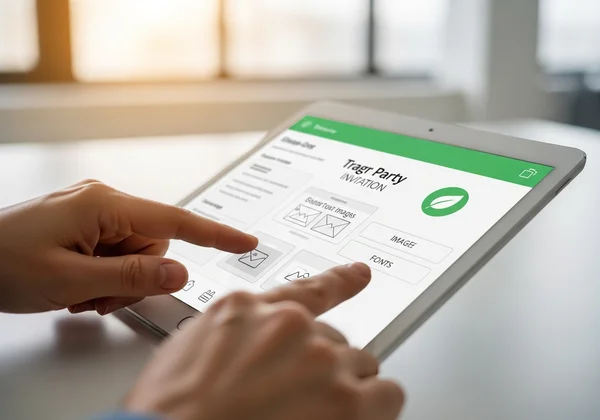
The word "free" often comes with a catch—watermarks, limited features, or low-quality designs. However, a modern free digital invitation maker for parties breaks that mold. The goal is to empower your creativity, not limit it. You get access to powerful design tools that help you produce professional-quality invitations at zero cost.
This is where AI truly shines. It doesn't just give you a template to fill in; it becomes your personal designer. You provide the vision, and the AI brings it to life, creating one-of-a-kind designs that perfectly match your party's theme. You can finally have custom invitations that look expensive and feel special, without spending a dime.
Your AI Party Invite Generator: Getting Started with Invitation Maker
The magic behind creating unique invitations so quickly is an AI party invite generator. Think of it as a creative partner. You describe what you want, and it generates multiple visual options for you to choose from. Getting started is simple, but knowing how to talk to the AI can help you get even better results.
Crafting the Perfect AI Prompt for Your Party Theme
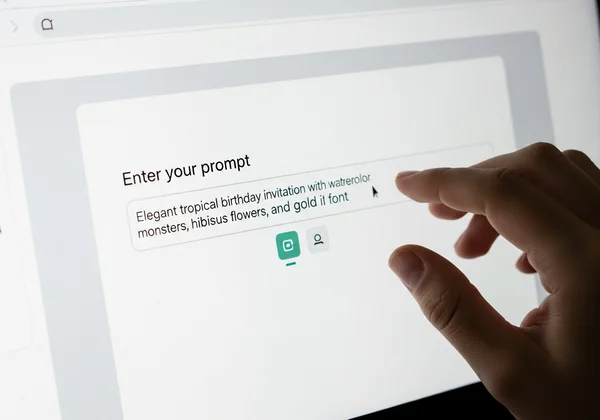
The key to a great AI-generated design is a great prompt. A prompt is the text description you give the AI to tell it what to create. The more descriptive you are, the closer the result will be to your vision.
Let's look at an example. Imagine you're hosting a tropical-themed birthday party.
- A simple prompt: "A tropical birthday party invitation."
- A better, more descriptive prompt: "An elegant tropical birthday invitation with watercolor monstera leaves, hibiscus flowers, and gold script font. Use a color palette of deep green, coral pink, and white."
See the difference? The second prompt gives the AI specific details about style (elegant, watercolor), elements (monstera leaves, hibiscus), fonts (gold script), and colors. Don't be afraid to experiment! Try mentioning moods like "fun and vibrant," "mysterious and magical," or "chic and minimalist." You can try the AI generator right now to see how different prompts create unique results.
Customizing Your Invite: Colors, Fonts, and Photos
While the AI does the heavy lifting, you're still in full control. After the AI generates initial designs, a good tool allows you to fine-tune the details. On Invitation Maker, you can select your preferred theme colors and styles before you even generate the design, ensuring the results are already aligned with your taste.
The AI adds any element you describe. For a photo vibe, try: '30th birthday invite with a polaroid frame.' It nails the custom look. The AI can create that visual structure for you, giving you a truly custom look that goes far beyond standard templates.
How to Make Digital Party Invitations Free: Step-by-Step
Want to whip up your first invite? It's dead simple—let's jump in. We'll break it down into three simple steps that take you from a blank slate to a downloadable, ready-to-share e-invite in just a few minutes.
Inputting Your Essential Event Details
First things first, you need to provide the basic information for your party. This is the who, what, when, and where. On the Invitation Maker platform, you'll find clear fields for:
- Event Name: e.g., "Sarah's 30th Birthday Bash"
- Hosted By: e.g., "Hosted by Jane and Tom"
- Date & Time: The day and time your event starts.
- Location: The address or virtual link for the party.
This information is automatically integrated into the design, so you don't have to worry about manually placing text. Just fill in the blanks, and the tool will handle the rest, ensuring all the critical details are clear and beautifully presented.
Generating Unique Designs with AI in Seconds
This is where the excitement begins. Once your event details are in, you'll move to the AI prompt box. Type in the descriptive prompt you crafted earlier, select your preferred colors and style, and click "Generate."
In just a few seconds, the AI will produce four distinct design options based on your input. This is a huge advantage over traditional makers where you might spend ages looking for the perfect template. Here, the templates are made just for you, on the spot. You can instantly see different layouts, color combinations, and artistic interpretations of your idea.
Previewing, Refining, and Downloading Your Perfect E-Invite
Now you can review the four designs. See which one best captures the feeling of your party. Do you like the bold one or the more subtle option? Click on your favorite to see a larger preview.
If the designs aren't quite right, you can easily tweak your prompt and generate a new batch. Perhaps change "bright and colorful" to "pastel and soft" to see a different mood. Once you’ve found the perfect invitation, you can download it in a high-quality format like PNG or PDF. Your beautiful, custom e-invite is now ready to be sent to your guests.
Sharing Your Online Party E-Invite with Ease
You've designed the perfect invitation, and it looks fantastic. The final step is getting it into the hands of your guests. As a dedicated online party e-invite maker, the tool ensures your creation is easy to distribute across all digital platforms.
Best Ways to Distribute Your Digital Invitations
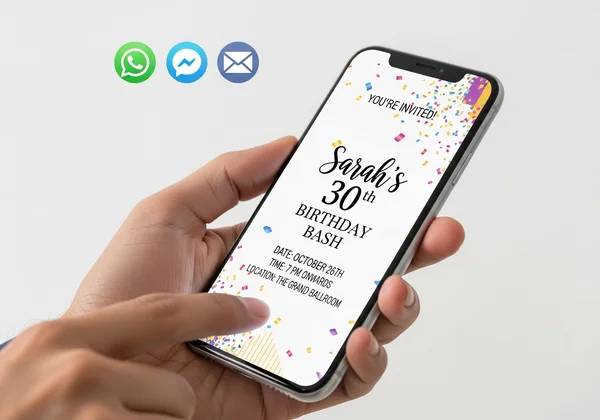
Because you download your invitation as a standard image or PDF file, sharing it is incredibly flexible. Here are some of the most popular and effective ways to send it out:
- Messaging Apps: Send the image directly via WhatsApp, Facebook Messenger, or iMessage. It's fast, personal, and allows for easy RSVPs.
- Email: Attach the invitation to an email for a slightly more formal approach, perfect for corporate events or larger gatherings.
- Social Media: Create a private Facebook event and use your design as the cover photo. You can also post it in a private group or send it via direct message on Instagram.
The high-resolution download ensures your invitation will look crisp and professional on any device, from a phone screen to a desktop monitor.
Ensuring a Watermark-Free Experience with Invitation Maker
One of the biggest concerns with free online tools is the dreaded watermark. A company logo plastered over your design can make it look cheap and unprofessional.
We believe that your creation should be completely your own. That’s why every invitation you design and download is 100% watermark-free. You get a clean, polished, and professional-looking invitation that you can proudly share. This commitment to a high-quality, truly free experience is what sets a great tool apart.
Design Your Dream Party Invitations with AI Today!
Party planning doesn't have to be complicated. With the right tools, you can create invitations that are not only beautiful but also a true reflection of your style and event. You’ve learned how an AI-powered maker saves you time, money, and stress, all while unlocking your creative potential.
There's no need to settle for generic templates or spend money on custom designs. You have everything you need to craft the perfect digital invitation in just a few clicks.
Ready to see it for yourself? Create your invitation now and experience how easy and fun making party invitations can be!
Frequently Asked Questions About Digital Party Invitations
How can I make invitations online for free?
You can easily make invitations online for free by using a web-based tool like Invitation Maker. Simply enter your event details, describe the design you want in a text prompt, and let the AI generate custom designs for you. You can then download your favorite design without any cost or watermarks.
What features should a free digital invitation maker for parties have?
A great free digital invitation maker should offer an intuitive interface, a high degree of customization, and fast performance. Look for features like AI-powered design generation for unique results, a choice of colors and styles, and the ability to download high-resolution, watermark-free files. The best tools, like the AI invitation generator, focus on making the process simple yet powerful.
Is Invitation Maker truly a free AI party invite generator without hidden costs?
Yes, Invitation Maker offers a robust free service. The core functionality—inputting details, generating unique designs with AI, and downloading high-quality, watermark-free invitations—is completely free. This transparent approach ensures you can create and share beautiful invitations without worrying about unexpected charges.
What is the best app to make party invitations for free?
While many mobile apps exist, a powerful web-based tool like Invitation Maker is often the best solution because it works on any device (phone, tablet, or desktop) without needing to be downloaded. It provides the flexibility of a large screen for designing and the convenience of your phone for sharing, offering the best of both worlds for creating free party invitations.